I InkSlate
Start free

Booking system · Costa Rica

Online booking for tattoo, barbershop and beauty studios in Costa Rica.

Your client books from their phone with no account and nothing to install. The slot is held instantly, the SINPE deposit is approved with one tap, and you can see the whole calendar in one place.

Start your free month See how it works

No card needed · Then ₡10,000/month · No per-booking fee

Built for
InkSlate availability calendar for a barbershop, showing the free slots for the day InkSlate screen showing a confirmed booking with its code and the pending deposit
  • iOS appPublished on the App Store
  • Android appPublished on Google Play
  • Your client installs nothingBooks straight from the browser
  • SINPE depositsIn colones, the way you already charge
  • Spanish and EnglishHandy in tourist areas

01 — The problem

Booking over WhatsApp works until it doesn't.

  • 01

    Six messages to close one appointment

    "Are you free Thursday?" "Not at 3, but 5 works" "Perfect" — all while someone's in the chair.

  • 02

    The same slot offered twice

    Without visible availability, a double booking is a matter of time. And whoever gets bumped doesn't come back.

  • 03

    The calendar split across three places

    Chat, notebook and memory. No one on the team knows for sure how Saturday is looking.

02 — How it works

Two journeys, one calendar.

Your client doesn't have to learn anything new. Neither do you.

Your client

Books in under a minute

  1. 1Opens your studio's link from Instagram or WhatsApp.
  2. 2Picks artist, service, day and time among the real open slots.
  3. 3The slot is held instantly, with a visible countdown.
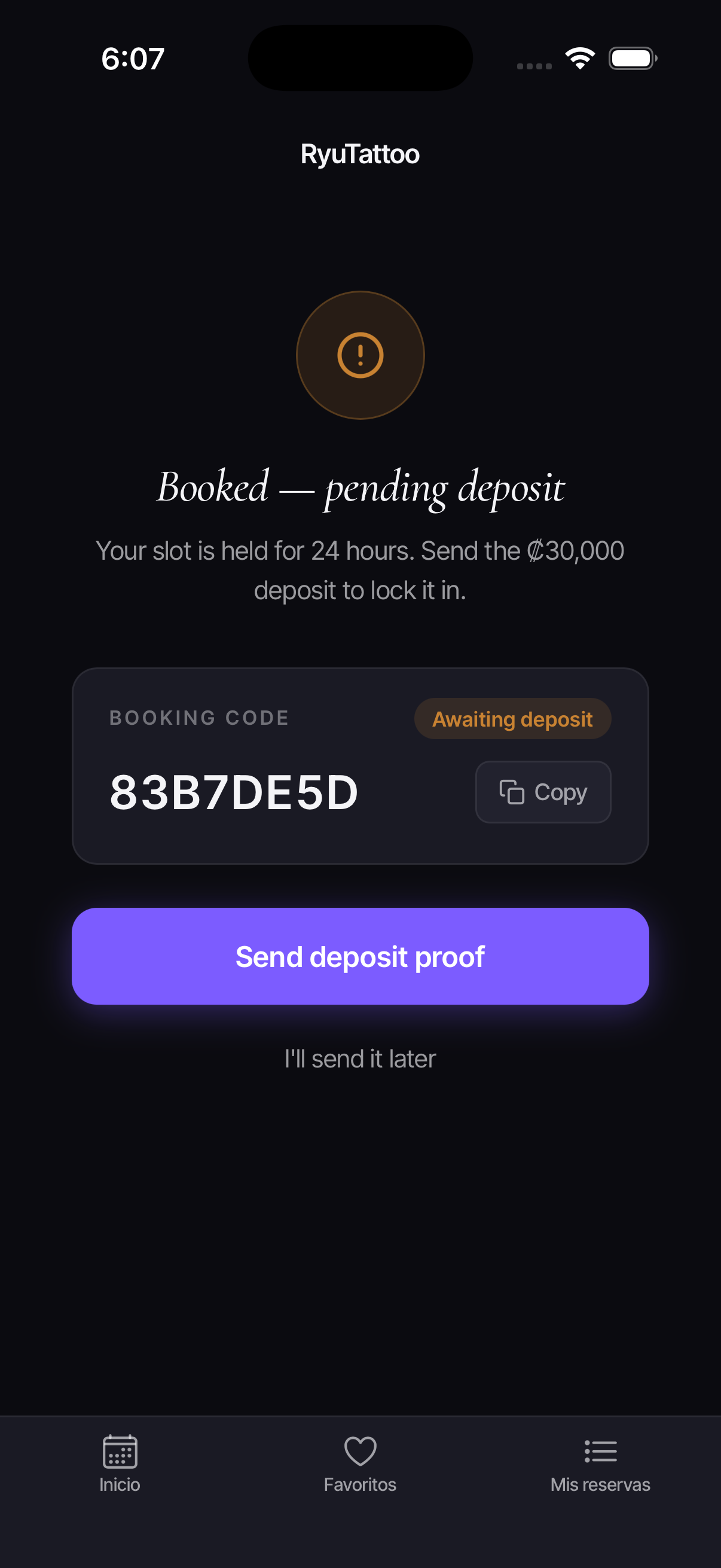
  4. 4Uploads the SINPE deposit receipt, if the service requires one.
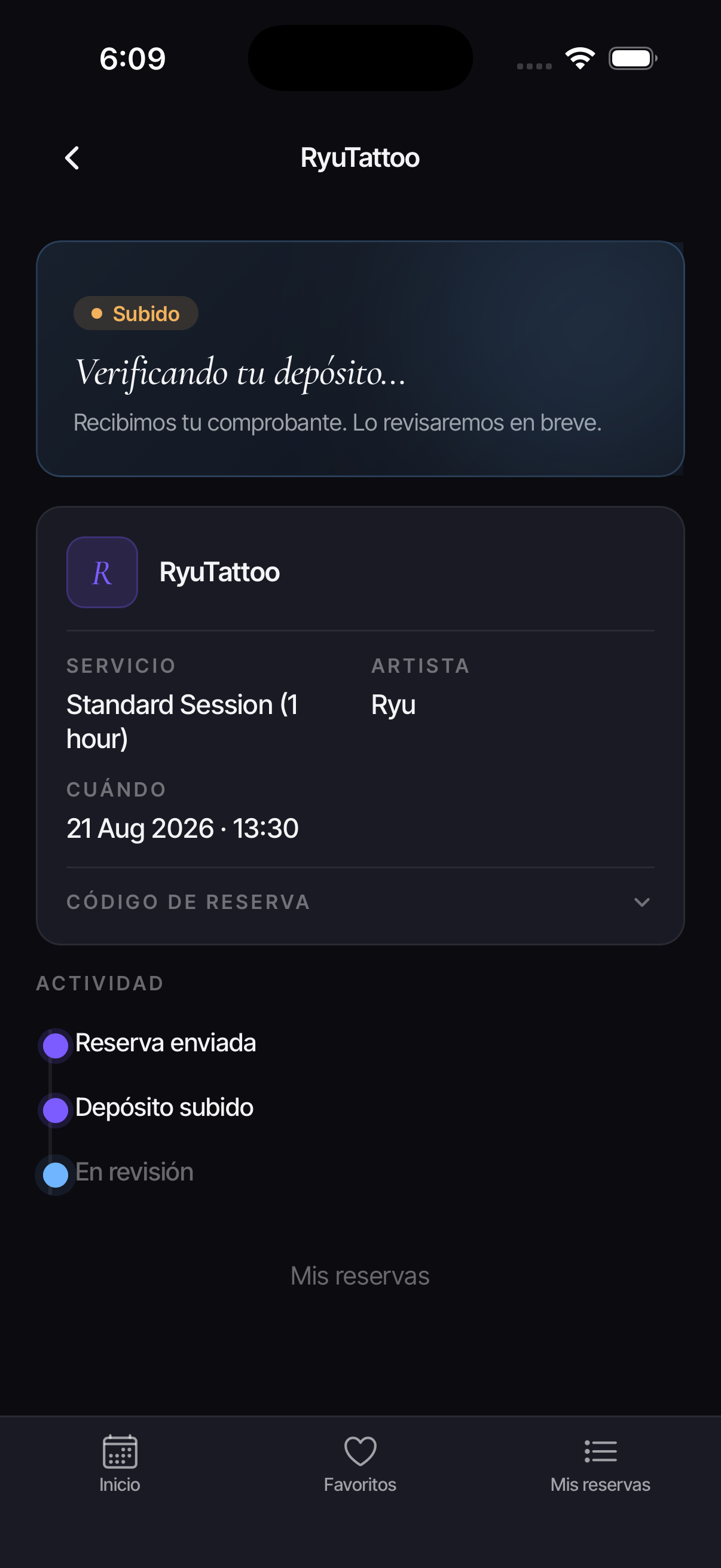
  5. 5Gets their code and follows the appointment status whenever they want.

No account. No password. Nothing to install.

Your studio

Resolves it in three taps

  1. 1You get a push notification, not one more chat message.
  2. 2You review the receipt, already pre-read: amount, date and sender.
  3. 3Approve or reject with a note, and the appointment lands on the artist's calendar.
  4. 4It syncs with your Google Calendar in both directions.
  5. 5Reschedule, cancel or mark a no-show from the same panel.

The final call on every deposit is always yours.

03 — The product

This is what your clients see.

Real screenshots from the app. No mockups.
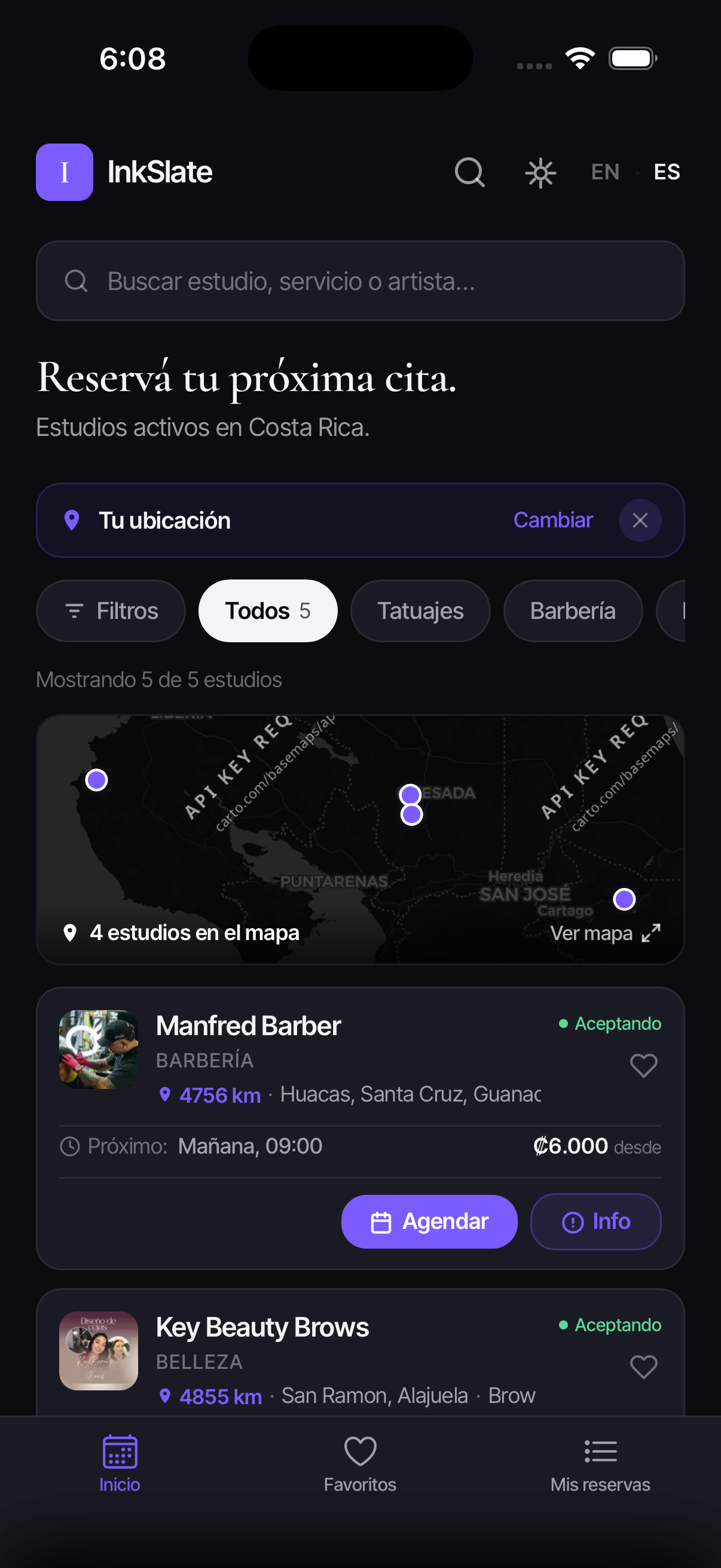
Active studios, with a map

Your studio shows up in the directory with distance, price from, and next open slot.

InkSlate directory with active barbershop and beauty studios in Costa Rica, a map and filters by business type

Real availability, not back-and-forth

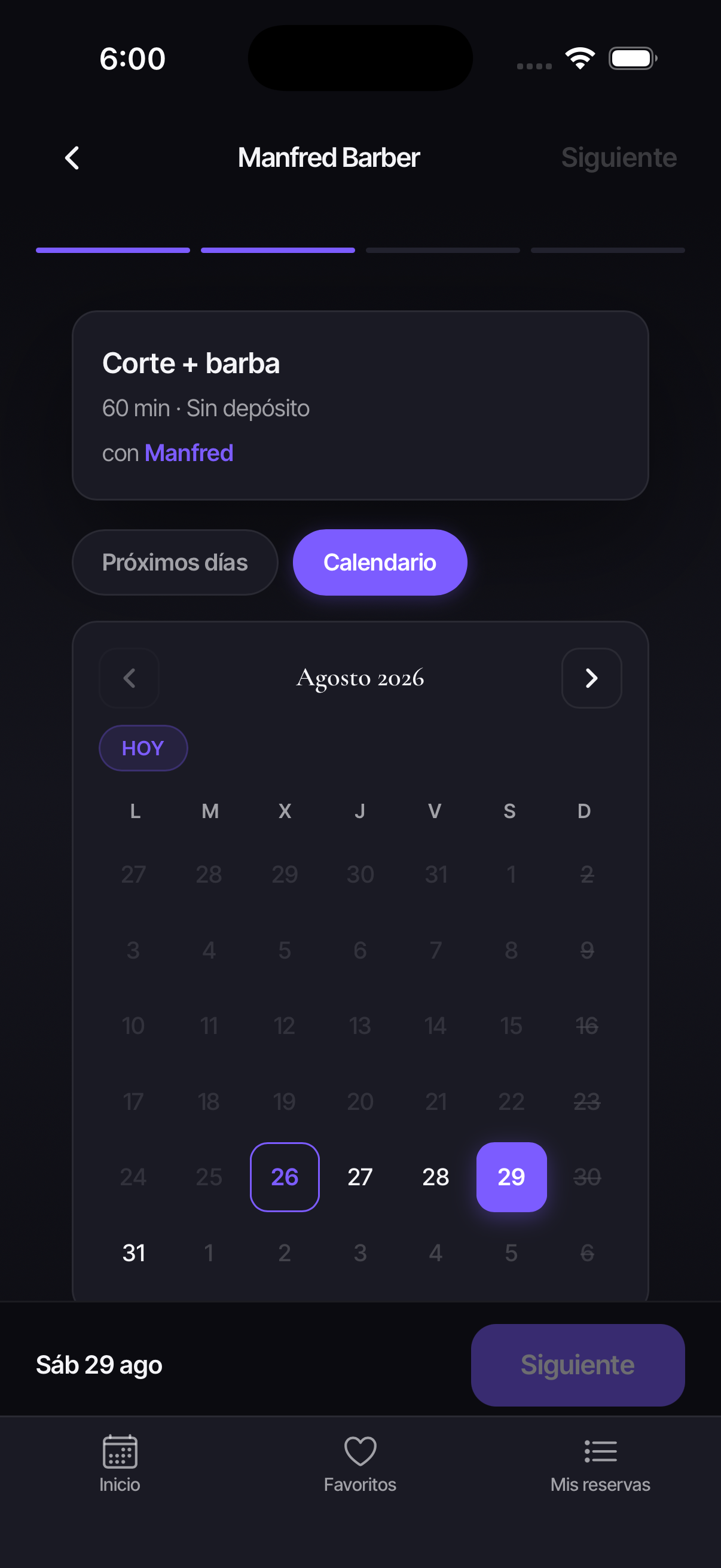
Full days show as closed. Clients pick only from what you actually have open.

InkSlate availability calendar for a barbershop, with full days marked and the open slots for the selected day

Clear deposit before confirming

Service, artist, time and amount on screen, with the time left to complete it.

InkSlate booking summary with the service, artist, time and the SINPE deposit required before confirming

04 — Included

Six things that already just work.

  • The slot is held instantly

    As soon as the client picks it, no one else can take it. A countdown shows how much time they have left.

  • SINPE deposits with assisted review

    The receipt arrives already pre-read: amount, date and sender. You approve, reject, or ask for a re-upload.

  • Per-artist calendar and Google Calendar

    Day and week view per artist, synced both ways with the calendar you already use.

  • Manual bookings and repeating blocks

    What comes in over WhatsApp gets logged on the same calendar. Block lunch once and it repeats on its own.

  • Your own profile with a shareable link

    Services, prices, artists and location on the map, in one link that goes straight to your Instagram bio.

  • Creative brief, when it's needed

    Reference photos and a note for the artist before the appointment. It only turns on for the services that need it.

05 — For your business

One system, four ways to work.

The vocabulary, the options, and what's asked of the client all change. The calendar stays the same.

06 — Coexistence

You don't have to drop WhatsApp.

Your regulars will keep messaging you, and that's fine. InkSlate doesn't compete with that: what comes in through chat or Instagram gets logged on the same calendar, and every appointment has a one-click link straight to the client's WhatsApp.

  • One single source of truth, instead of two calendars that never match.
  • The booking link answers scheduling questions while you're working.
  • New clients arrive through the directory, without going through your inbox.
  • Optional spam protection, off until you turn it on.

07 — Cross-platform

On the computer and in your pocket.

InkSlate has apps published on iOS and Android, with push notifications so you don't have to stare at the screen. The web works the same from any browser, and your client never needs to install anything to book.
The InkSlate app on a phone, showing the studio directory with active bookings The InkSlate app showing a confirmed booking with its code, ready to send the deposit receipt

08 — Pricing

One plan, everything included.

First month free

₡10.000per month

Per studio, with unlimited artists and services.

  • Unlimited online bookings
  • No per-booking fee
  • iOS and Android apps
  • SINPE deposits
  • Two-way Google Calendar
  • Profile in the directory

No card · No contract · Cancel anytime

09 — FAQ

What people ask before getting started.

If you still have a question, write us on WhatsApp and we'll answer the same day.

Do my clients have to install an app to book?

+

No. The client opens your studio's link from the browser and books without creating an account or password. If they want, they can also use the iOS or Android app, but it's never required.

Do I have to stop using WhatsApp?

+

No. InkSlate coexists with WhatsApp. Whatever comes in through chat or Instagram, you log manually on the same calendar, so you have one calendar instead of two.

Does it work if I work alone, without a team?

+

Yes. You can have a single artist with your own services, prices and hours. The per-artist calendar works the same when the artist is you.

How do SINPE deposits work?

+

You define which services require a deposit and for how much. The client uploads the receipt from their phone, an automatic assistant pre-reads the amount, date and sender, and you approve or reject with one tap. The final decision is always the studio's.

How much does InkSlate cost in Costa Rica?

+

The first month is free, then it's ₡10,000/month per studio, with no per-booking fee and no contract.

Does it sync with Google Calendar?

+

Yes, both ways: InkSlate bookings show up on your Google Calendar, and whatever you block there is reflected in your availability.

Does it work for barbershops and salons, or only for tattoo studios?

+

It works for any business that runs on appointments. The vocabulary and options change based on business type: the creative brief with reference photos, for example, only turns on for the services that need it. Check out the pages for barbershops, beauty salons and nail artists.

What happens if two people pick the same time slot?

+

It can't happen. As soon as someone picks a slot, it's held for them, with a visible countdown of the time they have to complete the booking.

10 — Get started

Tell us about your studio and we'll set it up with you.

Leave us your info and we'll write you the same day to set up artists, services and hours. The first month is free and we don't ask for a card.

  • We help you through the initial setup.
  • We reply by email or WhatsApp, whichever you prefer.
  • You talk directly with the people who build InkSlate.

Or write us at hello@inkslate.app

We reply today. No-obligation inquiry.

Message us